
Nearly every American contractor wants more jobs without burning through their hard-earned money. For many in the trades, smart Google Ads can help, with some companies seeing up to 20 percent more new leads in their local service area after launching targeted campaigns. Understanding where to start is crucial when every advertising dollar counts. This guide breaks down the exact steps to align your business goals with local market demand and turn online searches into booked appointments.
Table of Contents
- Step 1: Assess Business Goals And Local Market Opportunity
- Step 2: Create And Configure Your Google Ads Account
- Step 3: Build Targeted Ad Campaigns For Local Services
- Step 4: Set Optimal Budgets And Bidding Strategies
- Step 5: Launch Ads And Verify Conversion Tracking
- Step 6: Monitor Performance And Refine Campaign Settings
Quick Summary
| Essential Insight | Explanation |
|---|---|
| 1. Define Clear Business Goals | Establish precise goals for customer acquisition and revenue to guide your advertising strategy. |
| 2. Research Local Market Dynamics | Analyze competitor activity and customer demand to identify service gaps and opportunities in your area. |
| 3. Optimize Google Ads Setup | Properly configure your Google Ads account with essential tools, categories, and conversion tracking for effectiveness. |
| 4. Develop Targeted Ad Campaigns | Create ads tailored to local service needs, using relevant keywords and compelling copy to connect with customers. |
| 5. Continuously Monitor and Adjust | Regularly review campaign performance metrics and adjust strategies to improve lead quality and advertising ROI. |
Step 1: Assess business goals and local market opportunity
Kicking off your Google Ads strategy starts with understanding exactly what your local service business wants to achieve and how your specific market looks. Before spending a single advertising dollar, you need a laser-focused approach that connects your business objectives with real customer demand.
Start by mapping out precise goals that translate directly into measurable outcomes. For contractors, this usually means generating qualified service calls or booked estimates within your service area. Learn how strategic marketing plans can transform local business growth. Ask yourself critical questions: How many new customers do you realistically want each month? What is your average job value? What profit margin are you targeting? These specifics will guide your entire Google Ads strategy, helping you create campaigns that deliver meaningful results.
Research your local market by analyzing competitor activity, customer search behaviors, and service pricing trends. Use tools like Google Trends, local business directories, and industry-specific market reports to understand demand. Look for service gaps or underserved niches where you can differentiate your offerings. Pay special attention to seasonal variations in your trade industry search volumes and customer needs.
Pro tip: Create a one-page business goal worksheet that clearly outlines your monthly revenue target, ideal customer profile, and key performance indicators before launching any advertising campaigns.
Step 2: Create and configure your Google Ads account
Now that you understand your business goals, it is time to set up the foundation of your local lead generation strategy by creating a Google Ads account. This critical step will be your launchpad for targeted advertising that connects your local service business with potential customers searching for your specific services.

Start by visiting the official Google Ads website and clicking on the account creation button. Follow Google’s official account setup process carefully to ensure you complete all necessary details. You will need a Gmail account and basic business information like your company name, contact details, and payment method. Choose the Smart mode for beginners or Expert mode if you want more granular control over your campaign settings. During setup, make sure to select the most accurate business category that represents your specific trade or service industry.
While configuring your account, take time to link essential tools like Google Business Profile and Google Analytics. This integration allows you to track performance metrics, understand customer interactions, and refine your advertising strategy. Set up conversion tracking to measure crucial metrics like phone calls, website form submissions, and booking requests specific to your local service business.
Pro tip: Create a dedicated Google Ads email address separate from your personal account to maintain clear communication and professional account management.
Step 3: Build targeted ad campaigns for local services
With your Google Ads account configured, you are now ready to create precision-targeted campaigns that will attract high-quality local service leads. Your goal is to design ads that speak directly to homeowners and property managers searching for your specific trade services in your local market.
Develop targeted local campaigns by first selecting the most appropriate campaign type for your service business. Focus on location targeting that precisely matches your service area, typically within a 20 to 50 mile radius of your primary business location. Select keywords that potential customers use when searching for services like yours, such as “emergency plumber near me” or “residential electrical repair.” Craft compelling ad copy that highlights your unique value propositions such as rapid response times, licensed professionals, or specialized expertise.
Utilize Google Ads assets like location extensions, call buttons, and customer review snippets to enhance your ad credibility and appeal. Set up conversion tracking to monitor crucial metrics like phone calls, website form submissions, and booking requests. Implement a realistic budget that allows for meaningful testing, typically starting with a daily spend of 20 to 50 dollars depending on your market competitiveness and service pricing.
This table compares campaign targeting strategies used in Google Ads for local services:
| Targeting Strategy | Description | Best Use Case |
|---|---|---|
| Location Targeting | Ads limited to local service area | Attracting nearby customers |
| Keyword Targeting | Focus on relevant search phrases | Reaching active service seekers |
| Audience Targeting | Targets by demographics or behavior | Customizing offers for segments |
Pro tip: Create multiple ad variations to test different messaging approaches and continuously refine your campaign based on performance data.
Step 4: Set optimal budgets and bidding strategies
Configuring the right budget and bidding strategy is crucial for maximizing your return on investment and attracting quality local service leads without burning through your marketing dollars. Think of your Google Ads budget as a precise investment tool designed to connect you with potential customers in your specific service area.
Configure your Google Ads budget and bidding approaches by first understanding your total monthly marketing budget and breaking it down into daily spend limits. For local service businesses, a typical starting budget ranges from 20 to 50 dollars per day, depending on your service area competitiveness and average job value. Choose an automated bidding strategy like Maximize Conversions or Target Cost Per Acquisition that allows Google’s algorithm to optimize your ad spend based on your specific business goals. This approach helps you automatically adjust bids to capture the most valuable leads while maintaining cost efficiency.
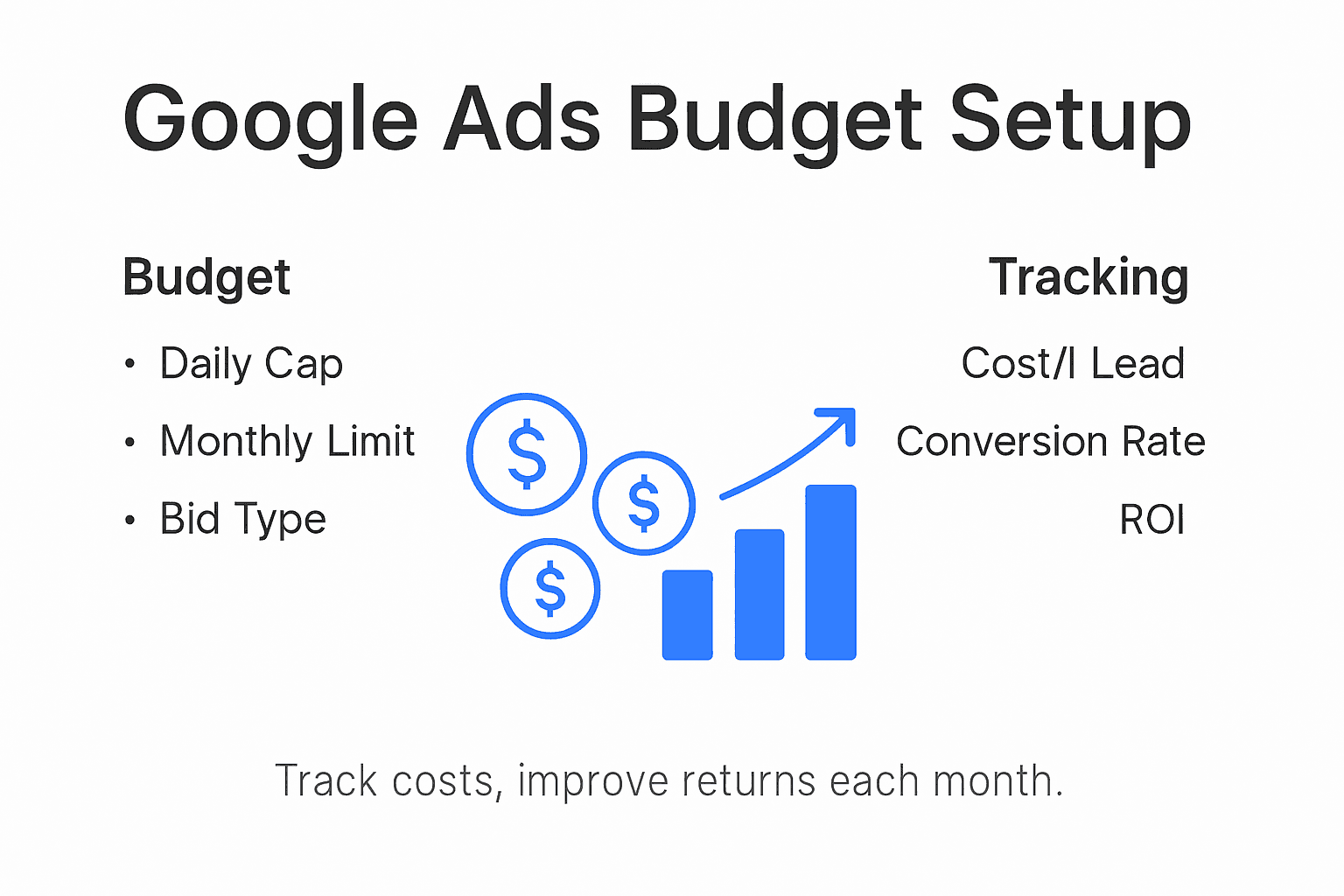
Pay close attention to your cost per lead and conversion rates. Start with a conservative daily budget that allows for meaningful data collection, and be prepared to adjust based on real performance metrics. Monitor key indicators like click through rates, cost per click, and actual job bookings to continuously refine your strategy. Remember that the cheapest leads are not always the best leads tracking actual revenue generated is far more important than simply minimizing advertising costs.
Here’s a summary of key Google Ads metrics and why they matter for local service businesses:
| Metric | What It Measures | Importance for Local Services |
|---|---|---|
| Cost Per Lead | Ad spend needed per new lead | Gauges marketing efficiency and value |
| Conversion Rate | % of visitors taking action | Shows ad and landing page effectiveness |
| Click Through Rate | % who click on your ad | Indicates ad copy relevance and appeal |
| Job Booking Rate | % leads turning to appointments | Measures lead quality and business outcome |
Pro tip: Create a spreadsheet to track your ad spend, lead quality, and actual job revenue to calculate your true return on investment and make data driven budget adjustments.
Step 5: Launch ads and verify conversion tracking
After carefully setting up your Google Ads campaign, it is time to launch your ads and implement precise tracking mechanisms that will help you understand and optimize your marketing performance. This critical phase transforms your strategic planning into actionable lead generation for your local service business.
Implement modern privacy safe conversion tracking methods by first installing the Google Ads conversion tracking tag on your website. This small piece of code will help you track critical actions like phone calls, form submissions, and booking requests directly from your ads. Configure conversion events that matter most to your business such as completed service inquiries, quote requests, or scheduled appointments. Use Google Tag Manager to simplify the technical implementation and ensure accurate tracking across different website pages and conversion points.
After installing tracking, review your conversion setup carefully to confirm everything is functioning correctly. Test each conversion action by simulating customer interactions and verifying that events are being recorded accurately in your Google Ads dashboard. Pay special attention to tracking phone call conversions, which are especially important for local service businesses. Set up call duration thresholds that distinguish between meaningful customer interactions and brief accidental contacts.
Pro tip: Create test conversions using a separate tracking phone number or email to validate your tracking setup without disrupting actual customer data.
Step 6: Monitor performance and refine campaign settings
Successful Google Ads campaigns require ongoing attention and strategic adjustments. Your initial setup is just the beginning of a dynamic process that demands consistent monitoring and intelligent optimization to maximize your local service lead generation.
Learn to analyze and interpret Google Ads performance metrics by establishing a regular review schedule examining key indicators like click through rate, conversion rate, cost per acquisition, and total return on ad spend. Focus on metrics that directly connect to your business goals such as qualified leads generated, service appointments booked, and actual revenue produced. Pay close attention to keyword performance and eliminate or modify keywords that are not delivering meaningful results while doubling down on high performing search terms that consistently attract your ideal customers.
Utilize Google Ads reporting tools to create custom dashboards that give you immediate visibility into campaign performance. Set up automated alerts for significant changes in key metrics and be prepared to make swift adjustments to your targeting, bidding, or ad copy. Consider experimenting with different ad variations to continuously test and improve your messaging. Track not just the quantity of leads but their actual quality by monitoring metrics like lead to booking conversion rates and average job value generated from your advertising efforts.
Pro tip: Schedule a weekly 30 minute campaign review to make data driven refinements and prevent underperforming ads from wasting your marketing budget.
Unlock Consistent Local Leads with Expert Google Ads Management
The article highlights the challenge of setting up and optimizing Google Ads campaigns tailored to local service businesses. If you find yourself overwhelmed by choosing the right keywords, managing budgets, or accurately tracking conversions, you are not alone. Many local contractors struggle to translate their marketing efforts into meaningful lead generation and booked jobs. Key pain points include knowing how to target the right customers within your service area, configuring effective bidding strategies, and constantly refining campaigns based on detailed performance metrics.
At Results Digital, we understand these hurdles and specialize in turning complex Google Ads setups into streamlined solutions that deliver real results. Our veteran-owned agency crafts personalized digital advertising strategies focused exclusively on local service industries. We combine precision targeting, seamless conversion tracking, and proven campaign management to help you generate consistent calls, quote requests, and service bookings. From creating custom websites to integrating local SEO with Google Ads campaigns, we offer a full suite of services to dominate your market without long term contracts.
Ready to transform your Google Ads efforts into a steady stream of quality local leads?
Discover how our exclusive one-client-per-industry approach empowers local contractors to grow confidently. Visit Results Digital today to schedule your free consultation and start capturing more calls and booked jobs with expert Google Ads management. Learn more about our approach to lead generation for local service businesses and how we can accelerate your results step by step.
Frequently Asked Questions
How do I assess my business goals for Google Ads?
Start by defining specific, measurable outcomes such as the number of new customers you aim to acquire each month or the target average job value. Create a worksheet to outline these objectives and ensure they align with customer demand in your local market.
What should I consider when researching my local market for Google Ads?
Investigate competitor activities, customer search behaviors, and pricing trends in your area. Use local business directories and industry reports to identify service gaps or niches that your business can successfully target.
How can I set an effective budget for my Google Ads campaigns?
Begin with a budget ranging from $20 to $50 per day based on your service area’s competitiveness. Break down your monthly budget into daily limits and choose an automated bidding strategy to keep costs efficient while maximizing lead opportunities.
What are the key metrics to monitor after launching my Google Ads?
Focus on metrics like cost per lead, click-through rate, and conversion rate. Regularly review these indicators to gauge the effectiveness of your campaigns and make adjustments based on the data to optimize lead generation.
How can I ensure my conversion tracking is set up correctly?
Install the Google Ads conversion tracking tag on your website to monitor actions such as form submissions and phone calls. Test each conversion action to confirm that the tracking accurately records critical customer interactions before launching your ads.
What should I do if my Google Ads campaigns are underperforming?
Analyze your campaign performance metrics and identify underperforming keywords or ads. Adjust your targeting, bidding strategies, or ad copy based on insights to enhance results and align better with your local service business objectives.
Recommended
- Why Use Google Ads for Local Service Leads
- Articles | Results Digital
- Local Service Marketing Explained: Winning More Local Jobs
- Digital Markteting for Roofing Companies
- Digital Marketing for Fire Protection Companies
- Digital Marketing for Damage Restoration Companies
- Digital Marketing for Asbestos Abatement Companies
