
Many tree service contractors burn through ad budgets without generating quality local leads because their Google Ads campaigns lack industry-specific targeting and structure. This guide walks you through a proven, step-by-step setup process tailored to tree services that maximizes lead volume while reducing wasted spend. You will learn prerequisites, campaign configuration, optimization tactics, and how to avoid costly mistakes that drain your budget.
Table of Contents
- Prerequisites: What You Need Before Starting
- Step 1: Define Campaign Goals And Budget
- Step 2: Conduct Keyword Research And Local Targeting
- Step 3: Create Ad Groups And Write Effective Ad Copy
- Step 4: Set Up Conversion Tracking And Analytics
- Step 5: Launch Campaign And Monitor Early Performance
- Step 6: Optimize Campaign Based On Data And Common Pitfalls
- Expected Results And Timelines
- Common Mistakes And How To Fix Them
- Boost Your Tree Service Leads With Expert Google Ads Management
- Frequently Asked Questions
Key Takeaways
| Point | Details |
|---|---|
| Targeted setup improves lead quality | Proper Google Ads configuration specific to tree services increases lead volume and reduces cost per acquisition. |
| Local keywords reduce wasted spend | Using long-tail, local keywords with negative keywords can cut irrelevant clicks by up to 25%. |
| Manual bidding optimizes early ROI | Starting with manual CPC bidding maintains cost control before scaling to automation. |
| Conversion tracking drives decisions | Implementing tracking for calls and forms enables data-driven budget and bid adjustments. |
| Seasonal adjustments maximize performance | Aligning bids with peak demand periods like spring and fall boosts lead volume significantly. |
Prerequisites: What You Need Before Starting
Before launching your Google Ads campaign, gather essential tools and information to ensure smooth setup and effective targeting. Missing these prerequisites causes delays and reduces campaign performance.
- A Google Ads account with billing information configured and ready for campaign creation.
- Access to Google Analytics or the ability to install a conversion tracking pixel on your website.
- Clear understanding of your tree service offerings, local competition, and target service areas.
- Initial budget estimate of $20 to $50 daily, adjustable based on seasonal demand fluctuations.
- Local customer data including zip codes, neighborhoods, and service radius for precise geographic targeting.
Collecting this information upfront prevents mid-campaign adjustments that disrupt data collection. You need clarity on which services generate the most profit so you can prioritize ad spend accordingly. Understanding your competition helps you identify gaps in local search coverage that your ads can fill.
Pro Tip: Create a spreadsheet listing your top three services, their average job values, and the zip codes where you complete most work. This becomes your targeting blueprint.
Step 1: Define Campaign Goals and Budget
Establishing clear objectives and realistic budgets forms the foundation of successful Google Ads campaigns. Without measurable goals, you cannot determine if your campaigns deliver positive ROI.
- Set specific lead or call volume targets, such as 15 qualified leads per month or 5 booked jobs weekly.
- Allocate a minimum daily budget of $20 to $50 to achieve statistically significant data for optimization within one to two weeks.
- Plan seasonal budget increases to capture peak demand during spring tree maintenance and fall storm preparation periods.
- Choose manual CPC bidding initially to maintain strict cost control and understand true keyword values before automating.
- Document baseline metrics like current lead volume and cost per lead to measure campaign impact accurately.
Starting with conservative budgets protects you from overspending while learning what works in your local market. As you identify high-performing keywords and ad groups, gradually increase daily budgets to scale lead volume. Seasonal adjustments matter because tree service demand fluctuates dramatically throughout the year.
Pro Tip: Begin with a 30-day test budget equal to your target cost per lead multiplied by 10. This gives you enough data to optimize without overcommitting resources.
Explore proven Google Ads lead generation strategies that work specifically for service businesses to refine your approach further.
Step 2: Conduct Keyword Research and Local Targeting
Selecting the right keywords and refining geographic targeting ensures your ads reach local customers actively searching for tree services, improving lead quality while reducing wasted clicks.

Focus on long-tail keywords that include specific services and locations, such as “emergency tree removal [your city]” or “stump grinding near me.” These phrases attract customers further along the buying journey compared to broad terms like “tree service.” Apply geographic targeting using zip codes, radius targeting around your business location, or geo-fencing specific neighborhoods where you want to work.
Adding negative keywords monthly excludes irrelevant searches and reduces wasted spend by up to 25%. Common negative keywords for tree services include “job,” “career,” “free,” and “DIY.” Review your Search Terms report regularly to identify new negative keywords based on actual search queries triggering your ads.
| Keyword Group | Example Keywords | Local Targeting Zone |
|---|---|---|
| Emergency Services | emergency tree removal [city], storm damage tree service | 15-mile radius |
| Routine Maintenance | tree trimming [neighborhood], pruning service near me | Specific zip codes |
| Specialized Services | stump grinding [city], tree health assessment | 20-mile radius |
Pro Tip: Use Google Keyword Planner to find local search volumes for your target keywords. Prioritize keywords with 10 to 100 monthly searches that indicate strong local intent.
Learn how to generate tree service leads through strategic keyword selection and implement our Google Ads setup for local leads framework for maximum impact.
Step 3: Create Ad Groups and Write Effective Ad Copy
Organizing ads into service-specific groups and crafting compelling local copy with clear calls to action improves click-through rates and conversion quality significantly.
Segment ad groups by distinct services like tree removal, stump grinding, emergency storm response, and routine pruning. This structure allows you to tailor ad messaging and landing pages to match searcher intent precisely. Each ad group should contain five to ten closely related keywords to maintain relevance and improve Quality Score.
Incorporate local trust signals in your ad copy by mentioning specific neighborhoods, certifications, years in business, or insurance coverage. Use urgent, action-oriented calls to action like “Call now for same-day service” or “Get your free estimate in 24 hours.” Add ad extensions including call extensions for one-click calling, location extensions showing your service area, and sitelink extensions directing to specific service pages.
- Write three variations of each ad to test different value propositions and messaging angles.
- Include your primary keyword in the headline and at least once in the description.
- Highlight unique selling points like 24/7 availability, licensed arborists, or satisfaction guarantees.
- Match ad messaging to the corresponding landing page content to improve conversion rates.
Pro Tip: Test two headline variations focusing on different benefits. One emphasizes speed (“Same-Day Tree Removal”), the other emphasizes quality (“Certified Arborists, 20 Years Experience”). Let data determine which resonates better.
Discover specialized Google Ads for trades approaches that convert browsers into booked jobs for contractors.
Step 4: Set Up Conversion Tracking and Analytics
Implementing conversion tracking provides the data foundation needed to measure campaign success and make informed optimization decisions that improve ROI over time.
- Install the Google Ads conversion tracking pixel on your website or link your Google Analytics account to import conversion data automatically.
- Define key conversion actions including phone calls (using call tracking numbers), contact form submissions, and booking confirmations.
- Set appropriate conversion values based on average job size to calculate true return on ad spend accurately.
- Configure automated weekly or monthly performance reports delivered to your email for consistent monitoring without manual login.
- Create custom dashboards in Google Analytics showing campaign traffic, lead sources, and conversion paths.
Without conversion tracking, you operate blind, unable to distinguish profitable keywords from budget drains. Call tracking is especially critical for tree services since most customers prefer calling directly rather than filling forms. Assign unique tracking numbers to your ads to capture this conversion data accurately.
Most advertising platforms now offer simple pixel installation through tag managers, eliminating the need for manual code editing. If you lack technical skills, invest in professional setup to ensure accurate tracking from day one.
Step 5: Launch Campaign and Monitor Early Performance
Launching with close monitoring and rapid adjustments during the first three to four weeks establishes strong campaign foundations and prevents costly mistakes from compounding.
- Activate campaigns with your defined daily budgets and manual CPC bidding strategy set at conservative levels.
- Monitor click-through rates daily for the first week, aiming for 3% or higher on highly targeted service keywords.
- Track early lead volume and quality, noting which ad groups and keywords generate actual bookings versus tire-kickers.
- Adjust bids upward on high-performing keywords showing strong conversion rates and profitable ROI.
- Add new negative keywords immediately when you spot irrelevant search terms triggering your ads in the Search Terms report.
The first month is a learning phase where you gather data about your local market, keyword performance, and customer search behavior. Resist the urge to make drastic changes based on small data samples. Wait until you have at least 50 clicks per ad group before drawing firm conclusions about keyword viability.
Watch for patterns in conversion timing. If most calls come in mornings, consider increasing bids during those hours through ad scheduling adjustments. Similarly, if weekends generate poor leads, reduce or pause weekend ad delivery to conserve budget.
Monitor Google Ads performance metrics systematically to identify optimization opportunities quickly.
Step 6: Optimize Campaign Based on Data and Common Pitfalls
Ongoing optimization using performance data and avoiding frequent mistakes keeps campaigns efficient and cost per acquisition low over the long term.
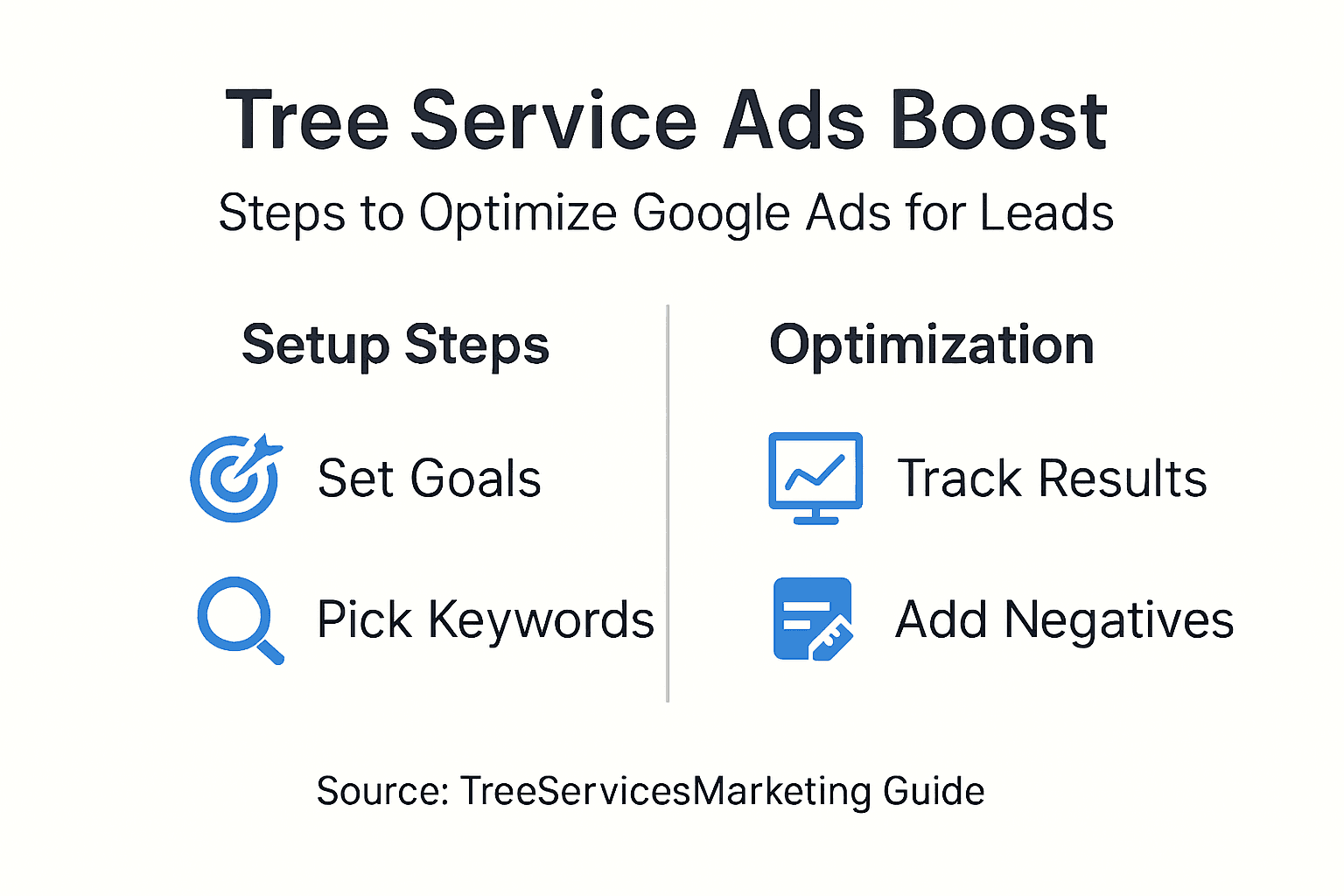
Review your Search Terms report monthly to identify new negative keywords and irrelevant search queries draining budget. This practice alone can improve campaign efficiency and lower cost per acquisition by 10 to 15%. Add three to five negative keywords every review session based on actual wasted clicks.
Segment campaigns by service type and geographic location to improve Quality Score and reduce cost per click. Separate campaigns for emergency services versus routine maintenance allow different bidding strategies matching customer urgency levels. Avoid shifting to automated bidding prematurely. Manual bidding helps you learn true keyword values and maintain cost control during the critical early months.
Adjust bids seasonally to capture peak demand periods. Increase budgets by 30 to 50% during spring and fall when tree service demand spikes. Decrease winter budgets in regions with limited cold-weather tree work to avoid wasting spend on low-intent searches.
| Common Mistake | Fix | Impact on Efficiency |
|---|---|---|
| Neglecting negative keywords | Add 5+ negatives monthly from Search Terms | Reduces wasted spend by up to 25% |
| Using only broad keywords | Focus on long-tail, service-specific terms | Improves lead quality by 35%+ |
| Ignoring seasonal demand | Adjust bids during peak spring/fall months | Increases lead volume by 40-60% |
| Premature automated bidding | Start with manual CPC for 2-3 months | Maintains cost control and learning |
Pro Tip: Create a monthly optimization checklist including Search Terms review, negative keyword updates, bid adjustments for top performers, and ad copy testing. Consistent execution beats sporadic optimization.
Expected Results and Timelines
Setting realistic expectations for lead flow and performance improvements helps you stay patient during the optimization phase while making data-driven decisions.
Most campaigns start producing consistent lead flow within three to four weeks after launch once sufficient data accumulates for meaningful optimization. Initial leads may be sporadic as the algorithm learns which searchers convert best for your business. Target a 20 to 30% increase in click-through rate from using long-tail, service-specific keywords compared to broad generic terms.
Seasonal fluctuations significantly impact results. Spring and fall typically boost lead volume by 40 to 60% compared to summer and winter baselines due to increased storm damage, maintenance needs, and property preparation activities. Plan budget increases during these peak periods to capture maximum market share.
- First two weeks: Data collection phase with minimal optimization, expect sporadic leads.
- Weeks three to six: Pattern identification and initial optimization, lead flow becomes more consistent.
- Months two to three: Mature campaign performance with predictable lead costs and volumes.
- Ongoing: Continuous refinement maintains efficiency as market conditions and competition evolve.
Regular budget and bid adjustments remain necessary even after campaigns mature because local competition, seasonal demand, and customer search behavior constantly shift. Treat Google Ads as an ongoing optimization process rather than a set-it-and-forget-it channel.
Common Mistakes and How to Fix Them
Identifying and correcting frequent pitfalls prevents wasted budget and improves lead quality, helping your campaigns perform efficiently from the start.
Neglecting negative keywords wastes up to 25% of budget on irrelevant clicks from job seekers, DIY researchers, and out-of-area searchers. Fix this by reviewing Search Terms monthly and adding five to ten negative keywords based on actual wasted searches. Create a master negative keyword list applicable across all campaigns.
Using broad keywords like “tree service” attracts low-intent searchers resulting in poor lead quality and high cost per conversion. Fix this by focusing exclusively on long-tail keywords including service type and location, such as “emergency oak tree removal [city]” or “stump grinding service near [neighborhood].”
Ignoring seasonal bid adjustments decreases ROI because you compete equally during low-demand and high-demand periods. Fix this by increasing daily budgets 30 to 50% during spring and fall peak seasons, then reducing budgets during slower winter months to maintain consistent cost efficiency.
Rushing into automated bidding strategies like Target CPA or Maximize Conversions before accumulating sufficient conversion data causes erratic bidding and inflated costs. Fix this by maintaining manual CPC bidding for at least two to three months or until you generate 30-plus conversions monthly. Only then does the algorithm have enough data to optimize effectively.
- Monitor ad position regularly and adjust bids to maintain positions two to four for optimal visibility without overpaying.
- Test landing page variations matching ad messaging to improve conversion rates beyond just driving more clicks.
- Track lead quality, not just lead quantity, by noting which campaigns generate booked jobs versus price shoppers.
Boost Your Tree Service Leads with Expert Google Ads Management
While this guide equips you with DIY campaign setup knowledge, partnering with specialists accelerates results and eliminates costly trial-and-error learning curves.
Our tailored Google Ads services are designed specifically for tree service contractors who want consistent, high-quality local leads without the ongoing management burden. We leverage proven lead generation workflows and advanced local targeting strategies to drive qualified prospects ready to book services. Our team handles complete campaign setup, daily monitoring, ongoing optimization, and transparent reporting so you can focus on completing jobs instead of managing ads.
Explore our specialized Google Ads lead generation strategies and comprehensive lead generation for contractors solutions to maximize your local market presence and ROI.
Frequently Asked Questions
How do I choose keywords specific to my tree service?
Focus on long-tail keywords that include your specific services and location, such as “stump grinding [your city]” or “emergency tree removal near me.” Use Google Keyword Planner to discover search terms local customers actually use when looking for tree services in your area.
What is the ideal daily budget to start with Google Ads?
A starting daily budget between $20 and $50 is recommended to gather actionable performance data within one to two weeks. Adjust budgets upward based on seasonal demand fluctuations and early campaign performance metrics like cost per lead and conversion rates.
How soon can I expect to see leads after launching?
Consistent lead flow usually begins within three to four weeks post-launch as your campaigns accumulate sufficient data for optimization. Early monitoring and rapid adjustments to bids, negative keywords, and ad copy can accelerate lead volume increases during this initial learning phase.
Should I use automated or manual bidding for tree service ads?
Start with manual CPC bidding for the first two to three months to maintain strict cost control and learn true keyword values in your local market. Transition to automated strategies like Target CPA only after generating 30 or more conversions monthly, providing the algorithm enough data to optimize effectively.
How often should I update my negative keyword list?
Review your Search Terms report monthly and add five to ten new negative keywords based on irrelevant searches that triggered your ads. This regular maintenance reduces wasted spend by up to 25% and continuously improves lead quality as you identify new irrelevant search patterns.
Recommended
- How to Generate Tree Service Leads for Local Growth
- Step by Step Google Ads Setup for Local Leads Success
- Google Ads for Trades: Boosting Local Service Leads
- Guide to Google Ads for Roofers: Drive Local Leads Fast
- Digital Markteting for Roofing Companies
- Digital Marketing for Fire Protection Companies
- Digital Marketing for Damage Restoration Companies
- Digital Marketing for Asbestos Abatement Companies
